
Let employees ask in context
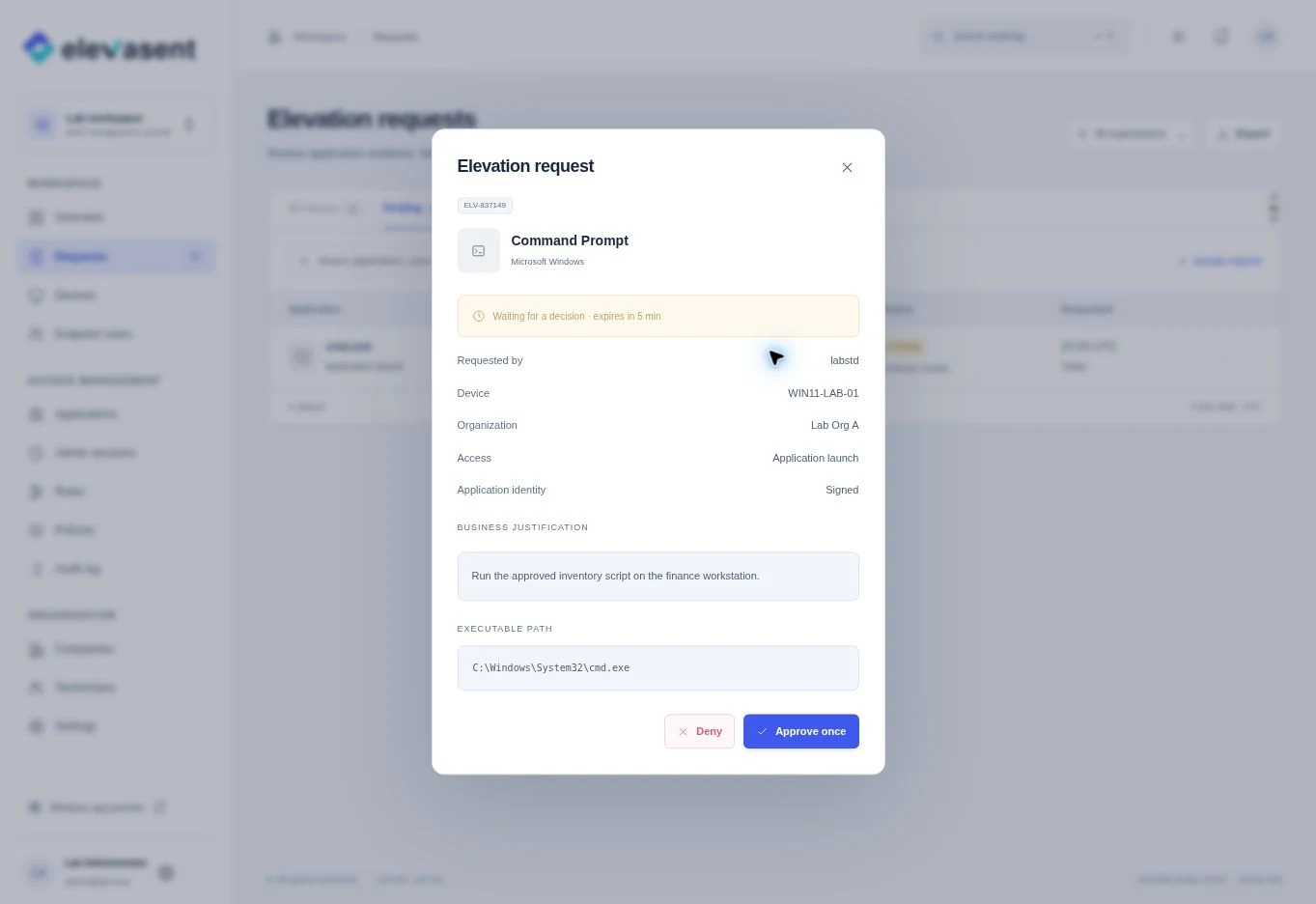
When a task needs admin rights, the employee explains why from the PC. IT sees the device, app and reason together.
For businesses
Give employees a simple way to ask for admin access when a task requires it. Your IT team decides what to allow, and the decision stays on record.
Up to 50 Windows devices free forever
Make everyday IT simpler
Give employees a path to complete routine work while keeping permanent local admin rights out of their everyday accounts.
When a task needs admin rights, the employee explains why from the PC. IT sees the device, app and reason together.
Approve one app launch or a limited session when appropriate. The employee keeps their usual Windows account.
See what was requested, who decided and when. Use that history to spot repeat work and update your rules.
A practical first rollout
Pick a small group with everyday requests, then expand when you understand what your people need.
Common questions
The elevation workflow is designed so employees can request access from their standard Windows account. IT controls what is approved and for how long.
The request screen shows the application, user, PC and reason. IT can review the context before approving or denying the task.
Up to 50 Windows devices are free forever. Ask about your free rollout if you want help planning it.